


Nov
22
22
Wireless Headset Problems Caught on Video
Posted under Console Crimes, Video, Xbox 360 by Rusty Ranchero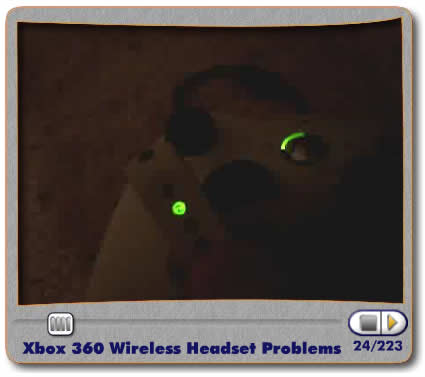
As the gaining buzz about the 360-Wireless-Headsets-not-working-properly continues, I was able to capture some video of the connectivity problems I have been frequently having. Maybe this video can help Microsoft pinpoint the problem and make me feel better about spending 60 bucks for it. This has happend to me on a total of 4 distinct occasions. The video is self explanatory. Any questions?
-Rust.
thats not the issue I’m having
Hey, its me if you remember me lol. I haven’t been online for ages. Anyway that really sucks. I don’t know what to say. Are you using anything else wireless like a router or something? Other than that I would say just call tech support.
I’d just like to say that you have a great video player going on here…
Better then you tube??!
How strange, I hope we dont have that problem when it comes to the UK =(
Man that sucks dude. I have a head set and it connects properly, but the distance for the headset sucks as well as the frequent beeping noise and the occasional disconnect reconnect issue that it has. I like it, but something needs to be done about getting these things fixed and replaced. Also people say I sound a lot different, but not the good different.
You guys are retarded! you can clearly see that the guy’s controller is wired or is at least using the wire to connect. It CLEARLY states in the headset documentation that the wireless headsets will not work for controllers that are plugged in. That’s not a problem…it was designed that way.
Spanky, you are the retarded one you idiot!! In the video rusty unplugged the wire and put in batteries and tried it and it still didn’t work you f-ing dumb ass!!
that a way to keep them in check kory
What happens on 2? Does it not work? Plus anyone else feel like they were watching a dirty porn movie on that video? Something about that guys voice.
I had that same problem. I think it happens when you have more than one wireless controller. The thing you have to do is turn on your 360 (just the 360 not the controller), sign in to xbox live (try using the remote if you have it), turn on your headset, sync your headset, turn on your controller, sync your controller. That worked for me, but then the next time I turned on my system It went back to being on player two’s controller again. So now I just use my other controller and haven’t had any connectivity problems since.
I got your back rusty and steve
you should sync your headset to your console first. don’t turn on the controller until you sync it to your console.
see if that works.
http://www.youtube.com/watch?v=iN6BYsNUwv0
Well i noticed in that whole video u didnt bother 2 press the sync button on the console, Its in the manual, I take it u didnt bother reading it ? That should do it…Its what I did with mine headset and it works fine, range is not as good as with the wiredheadset thou =(
Damn I cant spell =(
Decon, so are you telling me I have to turn on my console without using the controller? Then why is there a power button on it?
Rusty, try syncing the wireless headset and the console when the controller is turned off then turning on the controller. Now also do note that you should NOT use the play and charge without a battery back in the controller.
“Do not connect the charge cable without a rechargeable battery pack or AA battery pack installed. This can damage the controller.”
http://www.xbox.com/en-US/support/systemsetup/xbox360/accessories/playchargekit.htm
I have tried everything to get mine to work properly.
Sometimes it will goto quadrant 1 and it works great, no drop outs or feedback etc, the majority of the time its like the video above it simply won’t lock onto quadrant 1. :/
Haven’t had the same problem as you, just had the problem where mine disconnects and reconnects every 30 seconds to a minute, even when i’m 5 feet away.
Ms has no comment for the last few weeks.
Forbidenmaster, the same results when i try to resync it :/
Seems it’s a 50/50 chance when i turn it on if it will sync to quadrant 1 which sucks.
“You guys are retarded! you can clearly see that the guy’s controller is wired or is at least using the wire to connect.”
ummmm…. or if you know what you’re talking about he has the charging wire plugged in.
That only supplies power to the controller to charge the battery. The controller is still wireless.
I’m pretty sure the wireless headset works with wired controllers (although I can’t try since mine are all wireless), but if a WIRED HEADSET is plugged in it takes priority over the wireless one. It would make no sense for them to not work on a wired controller.
Same problem here. My wireless headset is a $60 paper weight.
My wireless Headset doesn’t have that problem. He can connect to port 1 with my controller. The only problem is that he is always disconnecting, reconnecting, disconnecting…
having the same problem as you exactly….it wont connect with the wireless controller then i connected it to the wired controller and it worked fine (ffs). Am about to go crazy as £35 for the thing and av had more problems with it than av had on my virus prone pc…if you get a solution to this add me on the above gamertag thx
phoned up support and found out that it was probably a problem with the wireless controller….they are sending me a free controller =)
I had the same problem with my headset and one of my wirless controllers. I could not find a way to fix it. I decided to try a different controller and it works fine with the headset. The controller and headset will work together on the same channel. The headset will just not work with the other wireless controller. So you may want to try it with a different controller and see if that helps.
I had a problem with my Wireless headset in that it would not sync with my controller. It worked fine for months then one day it wouldnt connect. I phoned microsoft but the women i spoke to didnt have a clue and just said to get in touch with the suppliers i bought it off.
I finally figured out how to fix it myself. I had already tried disconnecting my controller and syncing the headset first which did not work.
When I unplugged my 360 altoghter and then powered it up without any controllers connected my headset connected no problem. I then plugged in my controller and it now works fine.
shit that happens to me alot i cant sync my headsetr to the console it sucks would i nee to buy a new controller?
I hav exactly the same problem and I have only one controller. It just will not work with Quadrant 1 and my controller. Ever.
Same problem right now… worked fine last night, brought 360 to wrk this morning at I can get one or the other to work but not both at the same time on the same channel
I got one yesterday and couldnt get it to work (same problem). To fix it, all i did was hit the sync button on the controller AND on the headseat so they were both flashing. Then hit the sync button on the xbox and magically they both are assigned to channel 1.
yeah…same prob. so it sounds like its the controller’s fault…
I have tried all the solutions here and it still does not work ive had my headset for a year and it works perfectley everyday until yesterday when i it wouldnt sync to port 1 just 2,3,4 i think it my be a problem with my controller like a lot of ppl so im going to have a buy another one gutted
I just bought mine 2 days ago and it wouldn’t sinc to my controllers. i read on line that controller thought the wired headset was plugged in so i took a needle and preyed up the brass tab inside were the headset plugs in there is 2 on the bottom of each of the oval holes and 1 on the right of the round hole not sure which one is the cause but after prying them up it has work perfectly. Hope this helps.
I had the same problem, but have gotten it to work now. I have two wireless controllers and the controller that I was using is set has the second controller to the XBOX, even though I was only using one controller at the time. I turned on my other controller (or the one labeled as controller one), and my headset connected to the controller and worked without a problem. Now I have taken a sharpie and labeled the controller so that way I don’t have this issue again. I hope this helps.
[...] Some of you may of heard of the Syncing problem with the Xbox Wireless Headset and the Wireless Controller. Well I perfer the Wired Controller over the Wireless and I’m experiencing that problem when using the wired…… The mic will not sync or when it does will only go to the second circle Like This. [...]
FIX the problem!
first you have to turn you xbox on. then turn your controller on. sync your controller with your x box and then sync your wireless headset! problem fixed!
u suck !
u have a tiny penis
i have just bough a wireless head set and i have always used a wired controller but when i sync my headset to my xbox it goes to number 2 not 1 how do i get it to number 1?
hey all you…..you uh douche bags…i do believe that uh…..that this guy des talk…like he has……..something up his …..ass and uh…..theres a sync button asshole and uh……..if you dont press it…it uhh……might not sync correcty to the……..xbox…..so why not….uhh…..hit the button…..ooooookay?
i synced in every possible way, first controller, then headset yada yada yada. Nothing worked until i did what lost cannibal said and now i’ve got no problems.
Got this exact problem. basicaly the Headset port on your pad is knackered and so your pad thinks you have a wired mike pluged in. wired mic inputs on the pads are very easily damanged and impossible to fix. you need a new pad.
Hey Rusty - I have the same problem as you. Its too bad that you put this video on line to get some feed back and some of the responses are from friggin idiots
check out this link as this guy also has the same problem as us - http://www.youtube.com/watch?v=LpVuoKn-DOA&feature=related
it seems that there may be an issue with older controllers
i also tried to use a newer controller and the new controller is able to link the headset and controller with channel 1
unfortunately, i cannot go after microsoft for a new controller to replay my original controller as i kept this original controller when i sold my original xbox (the buyer agreed for me to keep the conttroller
the question now is……are you using an original controller from one of the “white” xbox’s or is the controller in your video and purchase after the fact??
keep us updated
i did what josh said and mine worked fine thanks mate!
Motherf\/ckers!!!
I fixed mine by plugging my wired headset into the control then coneecting the wireless headeset to port two, then unplug the wired headset and it should let you sync to port one again by pusshing the sync button on your headset. dont know if it will work for eveybody but it worked for me
I had the same problem ( syncing to quandrant 2 ) with one controller. I solved it by resyncing my other controller to player 1 and my headset associated with it again (so it seems if you have synced it with a controller it expects that one )
Add A Comment