Wireless Headset Problems Caught on Video
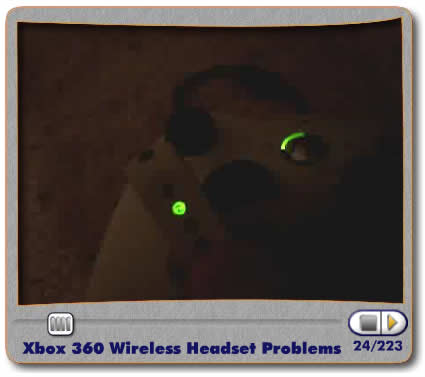
As the gaining buzz about the 360-Wireless-Headsets-not-working-properly continues, I was able to capture some video of the connectivity problems I have been frequently having. Maybe this video can help Microsoft pinpoint the problem and make me feel better about spending 60 bucks for it. This has happend to me on a total of 4 distinct occasions. The video is self explanatory. Any questions?
-Rust.
November 21st, 2006 at 8:47 am
thats not the issue I’m having
November 22nd, 2006 at 1:33 am
Hey, its me if you remember me lol. I haven’t been online for ages. Anyway that really sucks. I don’t know what to say. Are you using anything else wireless like a router or something? Other than that I would say just call tech support.
November 22nd, 2006 at 2:57 am
I’d just like to say that you have a great video player going on here…
Better then you tube??!
November 22nd, 2006 at 5:35 am
How strange, I hope we dont have that problem when it comes to the UK =(
November 22nd, 2006 at 8:06 am
Man that sucks dude. I have a head set and it connects properly, but the distance for the headset sucks as well as the frequent beeping noise and the occasional disconnect reconnect issue that it has. I like it, but something needs to be done about getting these things fixed and replaced. Also people say I sound a lot different, but not the good different.
November 22nd, 2006 at 3:13 pm
You guys are retarded! you can clearly see that the guy’s controller is wired or is at least using the wire to connect. It CLEARLY states in the headset documentation that the wireless headsets will not work for controllers that are plugged in. That’s not a problem…it was designed that way.
November 22nd, 2006 at 9:29 pm
Spanky, you are the retarded one you idiot!! In the video rusty unplugged the wire and put in batteries and tried it and it still didn’t work you f-ing dumb ass!!
November 22nd, 2006 at 11:14 pm
that a way to keep them in check kory
November 23rd, 2006 at 12:13 am
What happens on 2? Does it not work? Plus anyone else feel like they were watching a dirty porn movie on that video? Something about that guys voice.
November 23rd, 2006 at 1:33 am
I had that same problem. I think it happens when you have more than one wireless controller. The thing you have to do is turn on your 360 (just the 360 not the controller), sign in to xbox live (try using the remote if you have it), turn on your headset, sync your headset, turn on your controller, sync your controller. That worked for me, but then the next time I turned on my system It went back to being on player two’s controller again. So now I just use my other controller and haven’t had any connectivity problems since.
November 23rd, 2006 at 8:32 am
I got your back rusty and steve
November 24th, 2006 at 10:18 am
you should sync your headset to your console first. don’t turn on the controller until you sync it to your console.
see if that works.
http://www.youtube.com/watch?v=iN6BYsNUwv0
November 25th, 2006 at 5:36 pm
Well i noticed in that whole video u didnt bother 2 press the sync button on the console, Its in the manual, I take it u didnt bother reading it ? That should do it…Its what I did with mine headset and it works fine, range is not as good as with the wiredheadset thou =(
November 25th, 2006 at 5:38 pm
Damn I cant spell =(
November 30th, 2006 at 3:39 am
Decon, so are you telling me I have to turn on my console without using the controller? Then why is there a power button on it?
November 30th, 2006 at 4:08 am
Rusty, try syncing the wireless headset and the console when the controller is turned off then turning on the controller. Now also do note that you should NOT use the play and charge without a battery back in the controller.
“Do not connect the charge cable without a rechargeable battery pack or AA battery pack installed. This can damage the controller.”
http://www.xbox.com/en-US/support/systemsetup/xbox360/accessories/playchargekit.htm
November 30th, 2006 at 4:46 am
I have tried everything to get mine to work properly.
Sometimes it will goto quadrant 1 and it works great, no drop outs or feedback etc, the majority of the time its like the video above it simply won’t lock onto quadrant 1. :/
November 30th, 2006 at 7:03 am
Haven’t had the same problem as you, just had the problem where mine disconnects and reconnects every 30 seconds to a minute, even when i’m 5 feet away.
Ms has no comment for the last few weeks.
November 30th, 2006 at 8:02 am
Forbidenmaster, the same results when i try to resync it :/
Seems it’s a 50/50 chance when i turn it on if it will sync to quadrant 1 which sucks.
November 30th, 2006 at 1:51 pm
“You guys are retarded! you can clearly see that the guy’s controller is wired or is at least using the wire to connect.”
ummmm…. or if you know what you’re talking about he has the charging wire plugged in.
That only supplies power to the controller to charge the battery. The controller is still wireless.
November 30th, 2006 at 3:04 pm
I’m pretty sure the wireless headset works with wired controllers (although I can’t try since mine are all wireless), but if a WIRED HEADSET is plugged in it takes priority over the wireless one. It would make no sense for them to not work on a wired controller.
December 2nd, 2006 at 8:42 pm
Same problem here. My wireless headset is a $60 paper weight.
December 27th, 2006 at 3:27 pm
My wireless Headset doesn’t have that problem. He can connect to port 1 with my controller. The only problem is that he is always disconnecting, reconnecting, disconnecting…
December 29th, 2006 at 6:31 am
having the same problem as you exactly….it wont connect with the wireless controller then i connected it to the wired controller and it worked fine (ffs). Am about to go crazy as £35 for the thing and av had more problems with it than av had on my virus prone pc…if you get a solution to this add me on the above gamertag thx
January 6th, 2007 at 8:11 am
phoned up support and found out that it was probably a problem with the wireless controller….they are sending me a free controller =)
January 8th, 2007 at 3:09 pm
I had the same problem with my headset and one of my wirless controllers. I could not find a way to fix it. I decided to try a different controller and it works fine with the headset. The controller and headset will work together on the same channel. The headset will just not work with the other wireless controller. So you may want to try it with a different controller and see if that helps.